

中文版
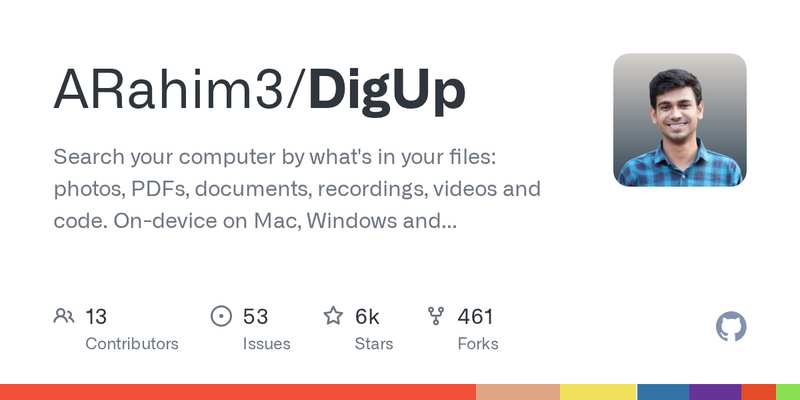
DigUp(GitHub:https://github.com/ARahim3/DigUp ,2026-10-08 创建,今晨抓取时已 5,977★)是一个本地语义文件搜索工具:不再只按文件名找文件,而是按文件“里面是什么”找——照片、PDF、文档、录音、视频和代码,都可以用一句话描述搜出来。
它基于 Google DeepMind 2026 年 10 月发布的 EmbeddingGemma 2 多模态嵌入模型(7.4 亿参数、支持 100 多种语言,能把文字、图片、音频、视频放进同一个向量空间):英文搜一段话,能命中用孟加拉语、阿拉伯语写的笔记,反过来也行;同时它也保留精确匹配,发票号、报错码、人名按原样也能搜到。Mac 上按 ⇧⌘Space、Windows / Linux 上按 Ctrl+Shift+Space 随时呼出搜索面板,PDF 打开到对应页、录音和视频定位到对应时刻、代码打开到对应行。代码搜索默认关闭,需要时手动开启、用 code: 前缀搜。
为什么值得了解
- 本地运行、不上传文件:模型一次性下载约 865MB,索引全部在自己电脑上;项目明确承诺不读密钥、证书、密码文件、
.ssh、应用与缓存目录,隐私边界写得很清楚 - 找东西的维度变了:以前“记得文件名才找得到”,现在“记得内容大概讲什么”就找得到,对简历、笔记、项目代码这种越攒越多的资料尤其有用
- Mac、Windows、Linux 都有,Mac 版常驻菜单栏;Windows / Linux 目前还是 beta,第一次全量索引大图库可能要花几小时,不过它会先告诉你预计耗时
English Version
DigUp (GitHub: https://github.com/ARahim3/DigUp , created 2026-10-08, 5,977 stars at this morning’s fetch) is a local semantic file search tool: instead of searching only by file name, it searches by what is inside the file — photos, PDFs, documents, recordings, videos and code can all be found by describing them in a sentence.
It is built on Google DeepMind’s EmbeddingGemma 2 multimodal embedding model (released October 2026, 740M parameters, 100+ languages, putting text, images, audio and video into one shared vector space): a search in English can find a note written in Bengali or Arabic, and vice versa. Exact matching is kept too, so invoice numbers, error codes and names match as written. Press Shift+Cmd+Space on a Mac or Ctrl+Shift+Space on Windows / Linux to call up the search panel anywhere; PDFs open at the matching page, recordings and videos jump to the matching moment, code opens at the matching line. Code search is off by default and can be enabled on chosen folders, searched with a code: prefix.
Why it’s worth knowing
- It runs locally and uploads nothing: the model downloads once (about 865 MB) and the index stays on your own computer; the project states plainly that it never reads keys, certificates, password files,
.ssh, apps or caches - It changes how you find things: from “you can only find it if you remember the file name” to “you can find it if you remember roughly what it is about” — especially useful as resumes, notes and project code pile up
- Available for Mac, Windows and Linux, living in the Mac menu bar; Windows / Linux builds are still beta, and a first full index of a large photo library can take hours — though it tells you the estimated time up front

评论(0)
暂无评论