

中文版
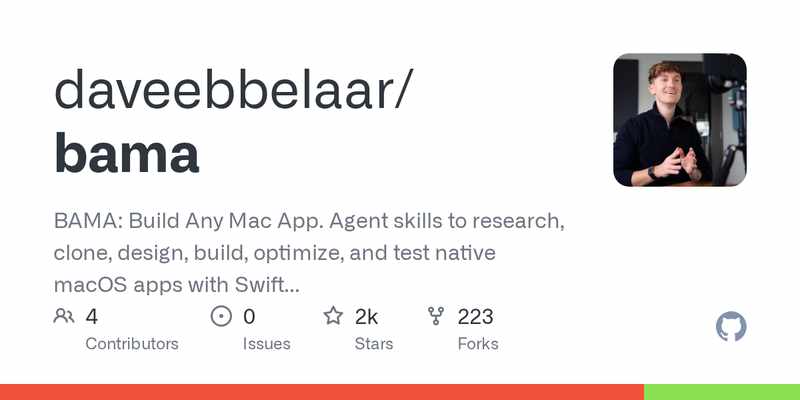
bama(GitHub:https://github.com/daveebbelaar/bama ,2026-10-24 创建,今晨抓取时已 1,819★)全名 Build Any Mac App:一套 Agent 技能,把一个原生 macOS 应用从想法做到进 Dock,全程用 Swift 和 SwiftUI,不用打开 Xcode 图形界面。
按 README 的说法,流程分三步:克隆——Agent 打开你喜欢的 App,逐屏截图,写一份屏幕索引;规划——把截图变成带可验收标准的用户故事,按里程碑排好;构建——一个用户故事一次提交,提交前在浅色和深色模式下各截一遍图、跑一遍测试。一共 21 个技能,装法是一条命令(npx skills@latest add daveebbelaar/bama),然后对 Agent 说一句“把我的待办 App 重做成原生 Mac 应用”,或者敲 /bama 让它看一眼你的项目、自己挑下一个技能。要求 macOS 26+、Swift 6.2,有 Claude Code 和 Codex 插件;数据存在本地;Windows 用户有同款 BAWA。MIT 开源。
需要注意:它帮你“照着喜欢的 App 重做一个自己的”,练手和学习很合适,但直接照搬别人的设计和品牌去上架是不行的;另外要求 macOS 26,系统版本不够的机器跑不了。
为什么值得了解
- 想练 SwiftUI 却没灵感?找个喜欢的 App 照着重做一遍,是最快的练手方式——截图、需求、里程碑、提交全程 Agent 代劳
- 对正在求职的 iOS/Mac 开发者很实在:做出来的就是能放进作品集的原生 Mac 应用,还顺带练了“把需求拆成可验收故事”的工程习惯
- 轻且本地:一条命令安装、数据存在本地,不绑服务、不要钱
- 和之前推过的通用技能合集不一样:它不是“教你写代码的技能包”,而是一条“从看到 App 到做出 App”的完整工作流
English Version
bama (GitHub: https://github.com/daveebbelaar/bama , created 2026-10-24, 1,819 stars at this morning’s fetch) — short for Build Any Mac App — is a set of agent skills that takes a native macOS app from idea to your Dock, built with Swift and SwiftUI and without ever opening the Xcode GUI.
Per the README, the workflow has three stages: Clone — your agent opens an app you like, screenshots every screen and writes a screen index; Plan — it turns the screens into user stories with checkable acceptance criteria, ordered into milestones; Build — it builds one story per commit, snapshotting every page in light and dark mode and running the tests before each commit. There are 21 skills in total; install with one command (npx skills@latest add daveebbelaar/bama), then tell your agent to “clone my to-do app as a native Mac app”, or type /bama and let it look at your project and pick the next skill. It needs macOS 26+ and Swift 6.2, ships Claude Code and Codex plugins, keeps data local, and Windows users get the sibling project BAWA. MIT licensed.
Two caveats: it helps you “rebuild an app you like as your own” — great for practice and learning, but copying someone else’s design and branding straight to the store is not OK; and it needs macOS 26, so older systems can’t run it.
Why it’s worth knowing
- Want to practice SwiftUI but short on ideas? Rebuilding an app you like is the fastest way to learn — screenshots, requirements, milestones and commits are all handled by the agent
- Genuinely practical for iOS/Mac developers preparing for interviews: what comes out is a native Mac app you can put in a portfolio, plus practice in the engineering habit of splitting requirements into checkable stories
- Light and local: one command to install, data stays on your machine, no service to bind, no cost
- Different from the generic skill collections covered before: this isn’t a “skills pack that teaches you to code”, it’s a complete workflow from “seeing an app” to “shipping an app”

评论(0)
暂无评论